Shopify Connector for Odoo
Run your Shopify stores from Odoo 19. Products, customers, orders, payments, refunds, returns, shipments and stock move between Shopify and Odoo, and every order follows the same rules from the store to the invoice.
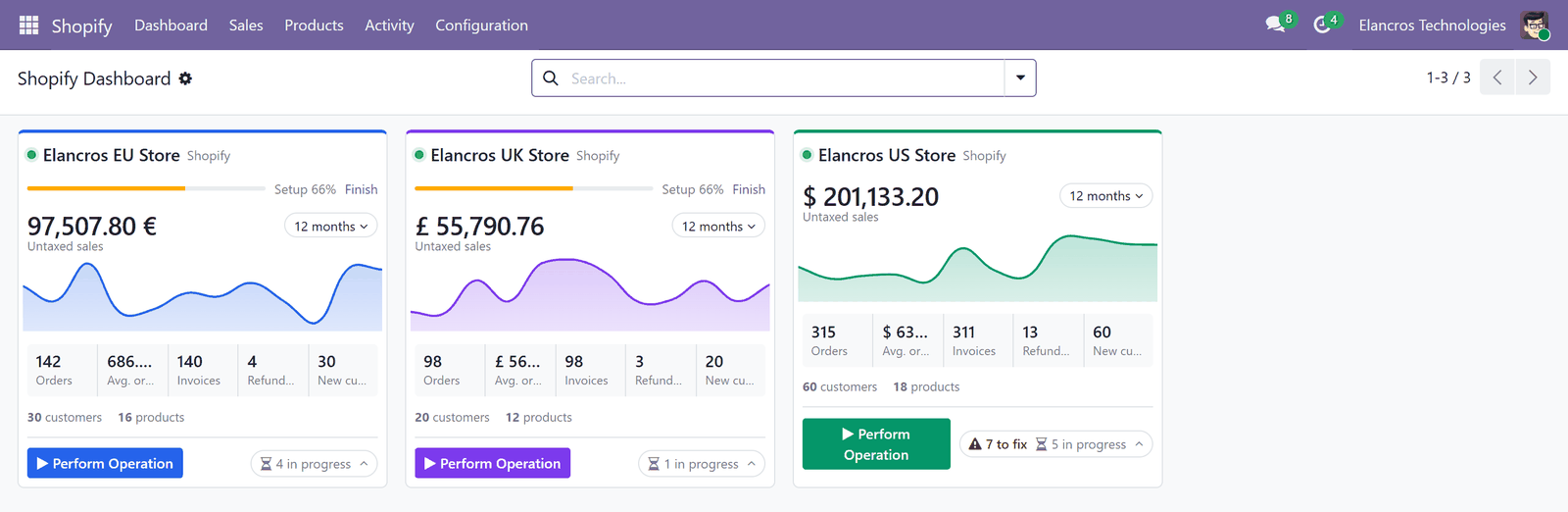
-
Getting started
Install the modules, create the Shopify app, connect your store and complete the setup checklist.
-
Products
Import Shopify products, match them with the products already in Odoo by SKU or barcode, and send changes back.
-
Orders
One sales order per Shopify order, confirmed, invoiced and paid by the workflow you choose.
-
Shipments and stock
Deliveries validated in Odoo go to Shopify with their tracking number; Odoo stock goes to your store locations.
-
Automation
Run operations by hand, by scheduler or in real time with webhooks.
-
Monitoring
Dashboard, sync jobs, logs and store requests: see what ran and fix what failed.
Two modules, one connector
| Module | What it does |
|---|---|
| Shopify Connector | Talks to Shopify: reads and sends products, customers, orders, shipments and stock. This is the module you install. |
| eCommerce Connector Core | The shared engine of the Elancros connectors: matching rules, order creation, order workflows, queues, webhooks and the store dashboard. |
You install only Shopify Connector
Odoo installs eCommerce Connector Core with it. The core on its own connects no store: without a store connector it only shows a note saying which connector to install.
How the connector works
flowchart LR
    S[Shopify store] -- products, customers, orders --> L[Store layer in Odoo]
    L -- matched or created --> O[Odoo products, contacts, sales orders]
O -- shipments, stock, product changes --> S- Store layer. Every Shopify product, variant and customer gets a record in Odoo that keeps its Shopify ID and the link to the Odoo record. Several stores can share the same Odoo product or contact without duplicates.
- Jobs and queues. Each import or export is a Sync Job with one line per record. A failing record is retried and logged; it never stops the others.
- You decide what runs. Operations run when you start them (Perform Operation) or from the schedulers you switch on. Nothing is synchronized until the store's setup is complete.
- Real time with webhooks. Once webhooks are registered, Shopify tells Odoo about new orders and changes as they happen.
Requirements
- Odoo 19, Community or Enterprise. Sales, Inventory and Invoicing are installed with the connector.
- A Shopify store and permission to create an app for it.
- Odoo reachable on a public HTTPS address (needed to connect the store and to receive webhooks).
Need help?
Elancros Technologies builds and supports this connector. Write to info@elancros.com or on WhatsApp at +91 91118 69645.